
How to Send a Payment Link on WhatsApp for Hotel Bookings
How to Send a Payment Link on WhatsApp for Hotel Bookings
Most hotels in emerging markets already communicate with guests on WhatsApp. Here's how to collect payments there too — without bank transfers or pay-on-arrival.
Most hotels in emerging markets already communicate with guests on WhatsApp. Here's how to collect payments there too — without bank transfers or pay-on-arrival.
Business Tips
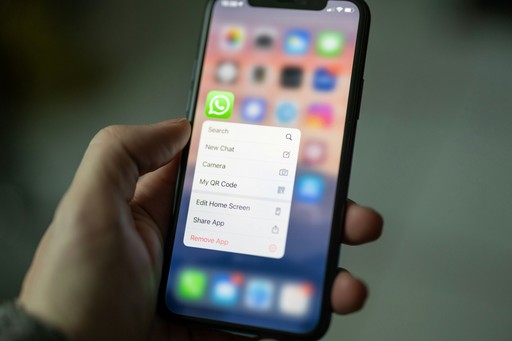
In most of South America, Africa, and Asia, WhatsApp is how hotels communicate with guests. Booking confirmations, check-in instructions, and late checkout requests all happen in the same chat thread. The problem is that when it comes to actually collecting payment, the conversation usually breaks down into something like "please transfer to this bank account" or "we'll sort it when you arrive."
Bank transfers are slow, often expensive for the guest, and difficult to reconcile on your end. Pay-on-arrival means your booking isn't really confirmed - it's just an intention. Guests cancel, don't show up, or arrive without enough cash.
A payment link solves this. Instead of asking a guest to transfer money or promising to pay later, you send them a link directly in WhatsApp. They open it on their phone, enter their card details, and pay in their own currency. The whole thing takes about 30 seconds, and you get a notification the moment payment goes through.
The practical difference is significant. A booking where a guest has paid a deposit — even a small one — is a fundamentally different thing to a reservation that's just an email exchange. People show up, and if they can't make it, they tend to give enough notice to let you resell the room or tour spot, because there's money on the line.
Using Tab, you can create a payment link from your dashboard in under a minute. You set the amount, choose whether it's a deposit or full payment, attach a refund policy if you want one, and send it. The guest receives a clean payment page in their currency, with Apple Pay and Google Pay supported alongside standard card payments. Once they pay, the confirmation appears in your dashboard and you can see it in real time.
The fee is 2.9% plus $1 per transaction. There are no monthly fees and no hardware involved - just a link sent over a chat you're already using.
For properties that take bookings from international guests but don't have a formal booking system, this is often the simplest way to start collecting payments reliably. You don't need a website, a booking widget, or any technical setup. If you have WhatsApp and a Tab account, you can send a payment request to a guest anywhere in the world in the time it takes to write a message.
Disclosure: Payment-link pricing and payment-method references in this article are accurate as of May 18, 2026. Supported wallets, currencies, guest fees, and acceptance rates vary by market and setup.
Sources: PCI DSS guidance, Stripe documentation on payment links, WhatsApp Business documentation for business messaging use cases.
In most of South America, Africa, and Asia, WhatsApp is how hotels communicate with guests. Booking confirmations, check-in instructions, and late checkout requests all happen in the same chat thread. The problem is that when it comes to actually collecting payment, the conversation usually breaks down into something like "please transfer to this bank account" or "we'll sort it when you arrive."
Bank transfers are slow, often expensive for the guest, and difficult to reconcile on your end. Pay-on-arrival means your booking isn't really confirmed - it's just an intention. Guests cancel, don't show up, or arrive without enough cash.
A payment link solves this. Instead of asking a guest to transfer money or promising to pay later, you send them a link directly in WhatsApp. They open it on their phone, enter their card details, and pay in their own currency. The whole thing takes about 30 seconds, and you get a notification the moment payment goes through.
The practical difference is significant. A booking where a guest has paid a deposit — even a small one — is a fundamentally different thing to a reservation that's just an email exchange. People show up, and if they can't make it, they tend to give enough notice to let you resell the room or tour spot, because there's money on the line.
Using Tab, you can create a payment link from your dashboard in under a minute. You set the amount, choose whether it's a deposit or full payment, attach a refund policy if you want one, and send it. The guest receives a clean payment page in their currency, with Apple Pay and Google Pay supported alongside standard card payments. Once they pay, the confirmation appears in your dashboard and you can see it in real time.
The fee is 2.9% plus $1 per transaction. There are no monthly fees and no hardware involved - just a link sent over a chat you're already using.
For properties that take bookings from international guests but don't have a formal booking system, this is often the simplest way to start collecting payments reliably. You don't need a website, a booking widget, or any technical setup. If you have WhatsApp and a Tab account, you can send a payment request to a guest anywhere in the world in the time it takes to write a message.
Disclosure: Payment-link pricing and payment-method references in this article are accurate as of May 18, 2026. Supported wallets, currencies, guest fees, and acceptance rates vary by market and setup.
Sources: PCI DSS guidance, Stripe documentation on payment links, WhatsApp Business documentation for business messaging use cases.
View other articles:

Payments
How to Accept Payments from Another Country
Learn how to accept payments from another country efficiently and easily. Tab will help you discover the best methods, tips, and solutions for handling international payments for your business.

Business Tips
How to Charge a Virtual Credit Card Without a POS Device
In the world of online payments, virtual credit cards (VCCs) offer a convenient and secure way for online travel agents (OTAs) to pay tourism businesses. But what if you need to charge your virtual cards without a traditional point-of-sale (POS) device? We've got you covered with some quick payment solutions to tackle this challenge head-on.

Business Tips
7 Tools and Softwares to Help Power your Tourism Business
Running a travel business comes with unique challenges. Fortunately, the right tools can help tourism operators stay organised, grow faster, and offer a better experience for guests. Here we outline 8 essential platforms that travel business owners all over the world are using to save time, increase bookings, and improve operations.
Payments
How to Accept Payments from Another Country
Learn how to accept payments from another country efficiently and easily. Tab will help you discover the best methods, tips, and solutions for handling international payments for your business.
Business Tips
How to Charge a Virtual Credit Card Without a POS Device
In the world of online payments, virtual credit cards (VCCs) offer a convenient and secure way for online travel agents (OTAs) to pay tourism businesses. But what if you need to charge your virtual cards without a traditional point-of-sale (POS) device? We've got you covered with some quick payment solutions to tackle this challenge head-on.
Payments
How to Accept Payments from Another Country
Learn how to accept payments from another country efficiently and easily. Tab will help you discover the best methods, tips, and solutions for handling international payments for your business.
Business Tips
How to Charge a Virtual Credit Card Without a POS Device
In the world of online payments, virtual credit cards (VCCs) offer a convenient and secure way for online travel agents (OTAs) to pay tourism businesses. But what if you need to charge your virtual cards without a traditional point-of-sale (POS) device? We've got you covered with some quick payment solutions to tackle this challenge head-on.
Business Tips
7 Tools and Softwares to Help Power your Tourism Business
Running a travel business comes with unique challenges. Fortunately, the right tools can help tourism operators stay organised, grow faster, and offer a better experience for guests. Here we outline 8 essential platforms that travel business owners all over the world are using to save time, increase bookings, and improve operations.
Payments
Advance Bookings: How to Charge Card Details from Online Travel Agents
Receive and charge customer or virtual cards from Booking.com or Expedia easily with Tab. Benefit from secure payments, reduced no-shows, and simple refunds. Learn more!
More than 50,000+ businesses trusts Tab, follow more stories.
More than 50,000+ businesses trusts Tab, follow more stories.
More than 50,000+ businesses trusts Tab, follow more stories.

Ready for faster, fairer tourism payments?
Apply for a free account today.
Ready for faster, fairer tourism payments?
Apply for a free account today.
Ready to start taking Payments with Tab?
Apply for a free account today.
Ready for faster, fairer tourism payments?
Apply for a free account today.